Students Organize and Share
Students register, invite supporters, link wishlists or standalone items, and choose whether to share a public profile.
 SOS
Support Our Students
Direct student support
SOS
Support Our Students
Direct student support
Practical support, clearly communicated
Support Our Students gives college students one organized place to share practical needs with family, friends, alumni, and other supporters. Donors choose specific items, purchase them directly from retailers, and help close everyday gaps before those gaps interfere with school.
The Communication Gap
A student may tell a parent about one need, text another relative about something else, and still have no simple way to show the rest of their support system what would help. Books, clothing, dorm supplies, personal-care items, technology, and other essentials get scattered across conversations. SOS brings those needs together so supporters can respond without making the student repeat the same request.
How It Works
Students register, invite supporters, link wishlists or standalone items, and choose whether to share a public profile.
Donors register, invite or follow students, search available support opportunities, and reserve an item they intend to purchase.
Donors upload purchase proof, while students receive email notices about reservations, pledges, and activity tied to their SOS requests.
See SOS in Action
Follow the student and donor experiences from organizing a need through responding to it.
Demo screens: Names, photographs, profiles, and counts are illustrative. Select any image to enlarge it.
Student Experience
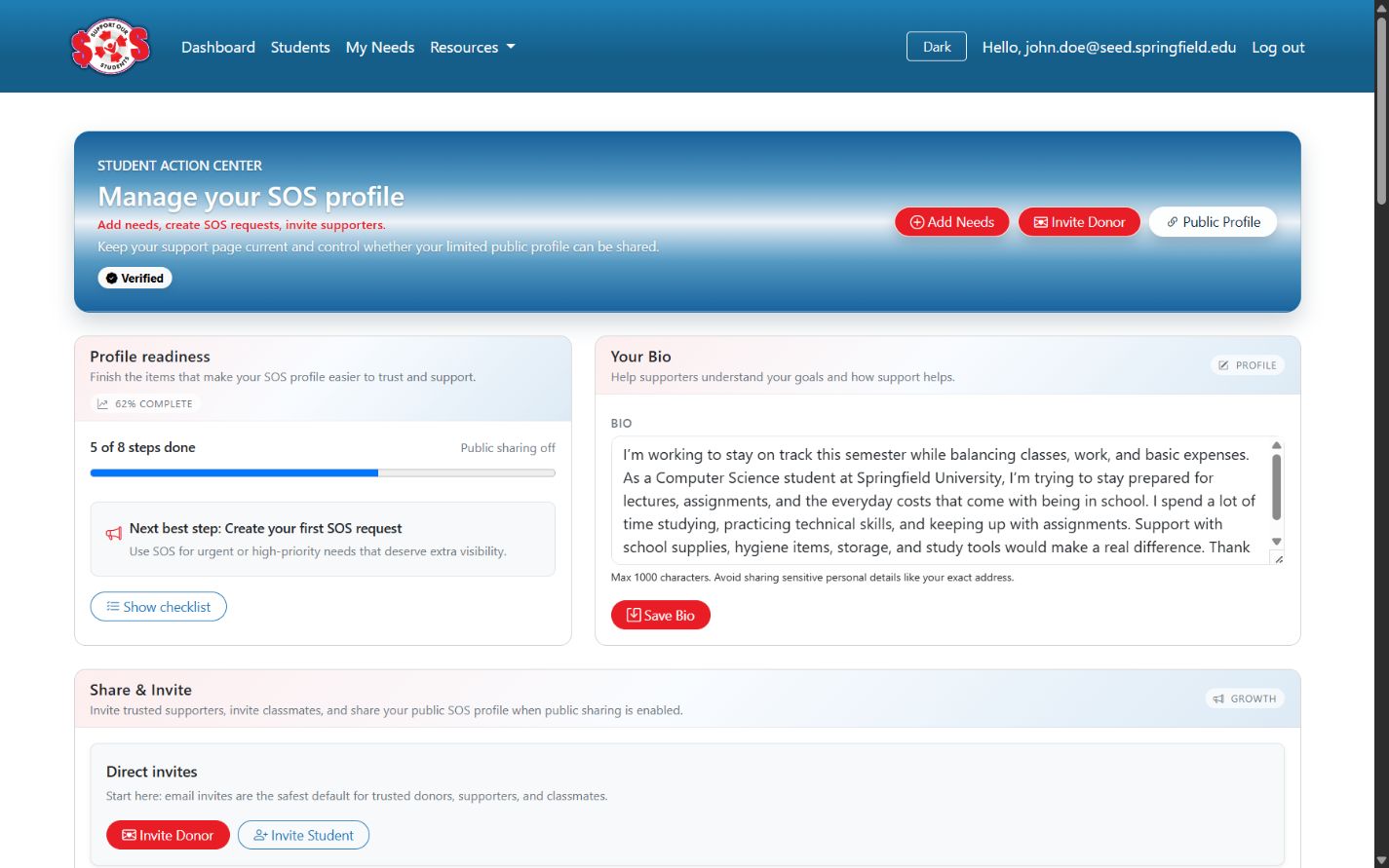
1. Organize
Students invite supporters, link wishlists, add standalone items, manage their bio, and choose whether to share a public profile.
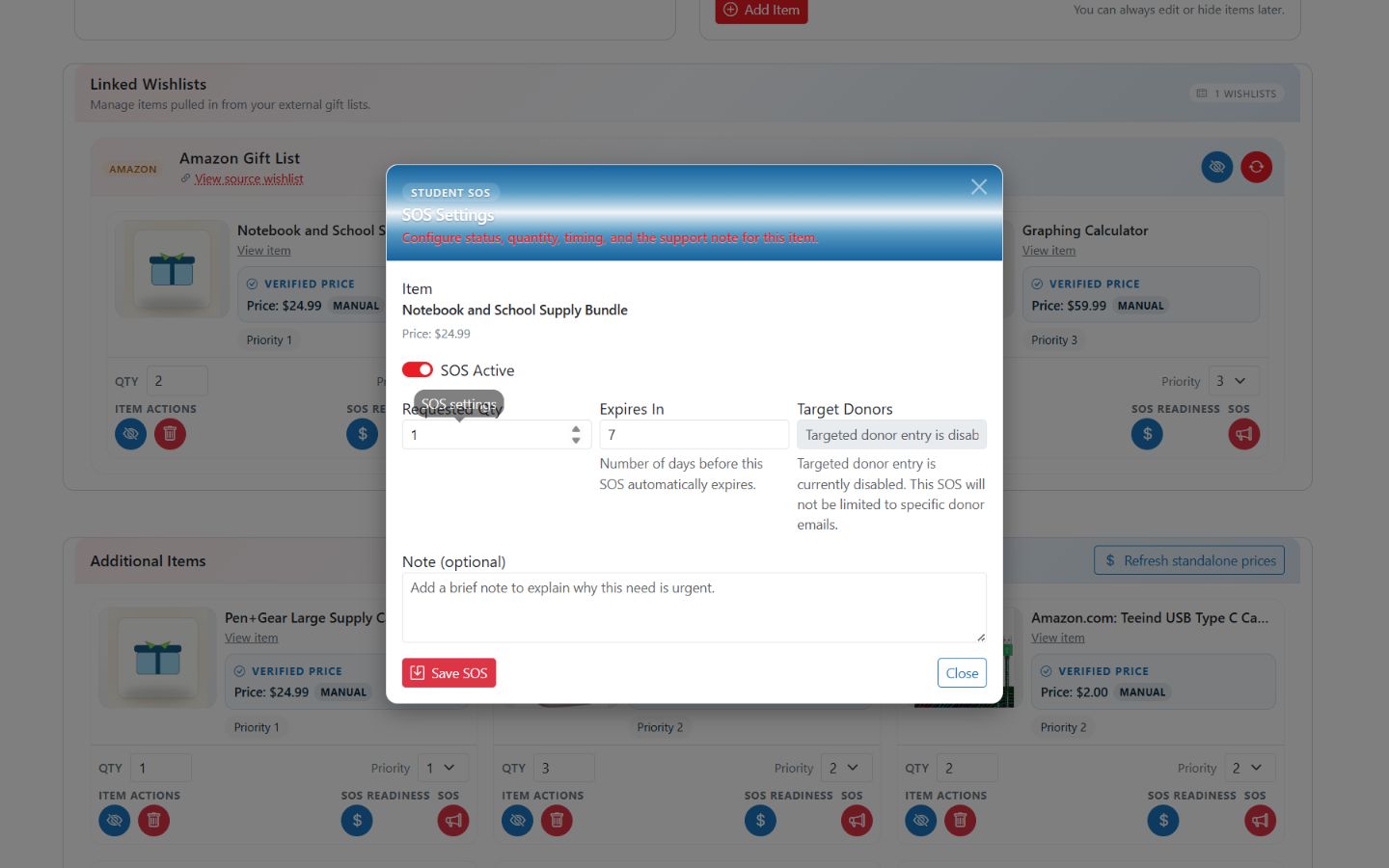
2. Prioritize
Students elevate a wishlist or standalone item, set the requested quantity and timing, and add context for supporters.
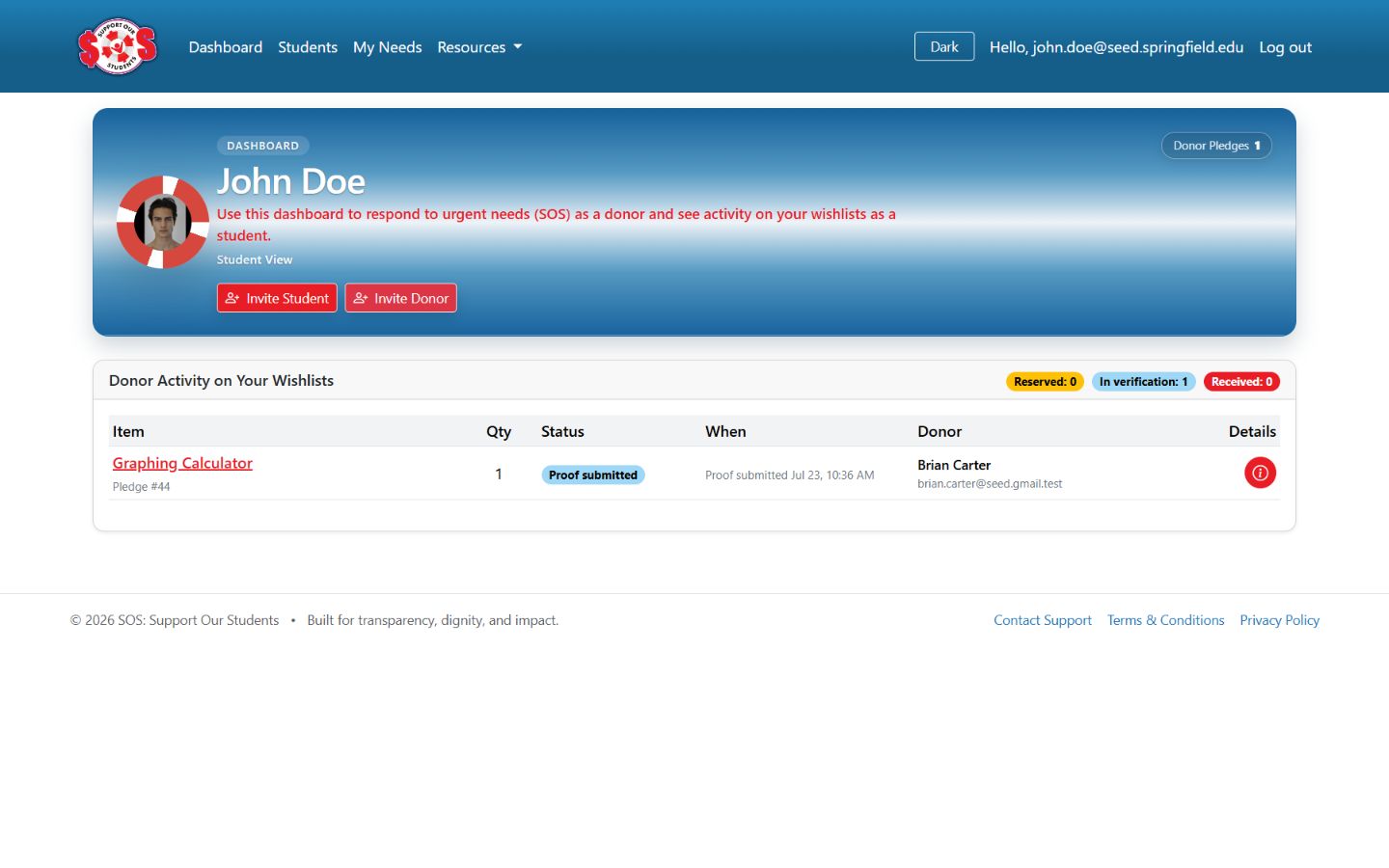
3. Receive Updates
Students receive email notices about reservations and pledges, while the dashboard keeps related activity and status visible.
Donor Experience
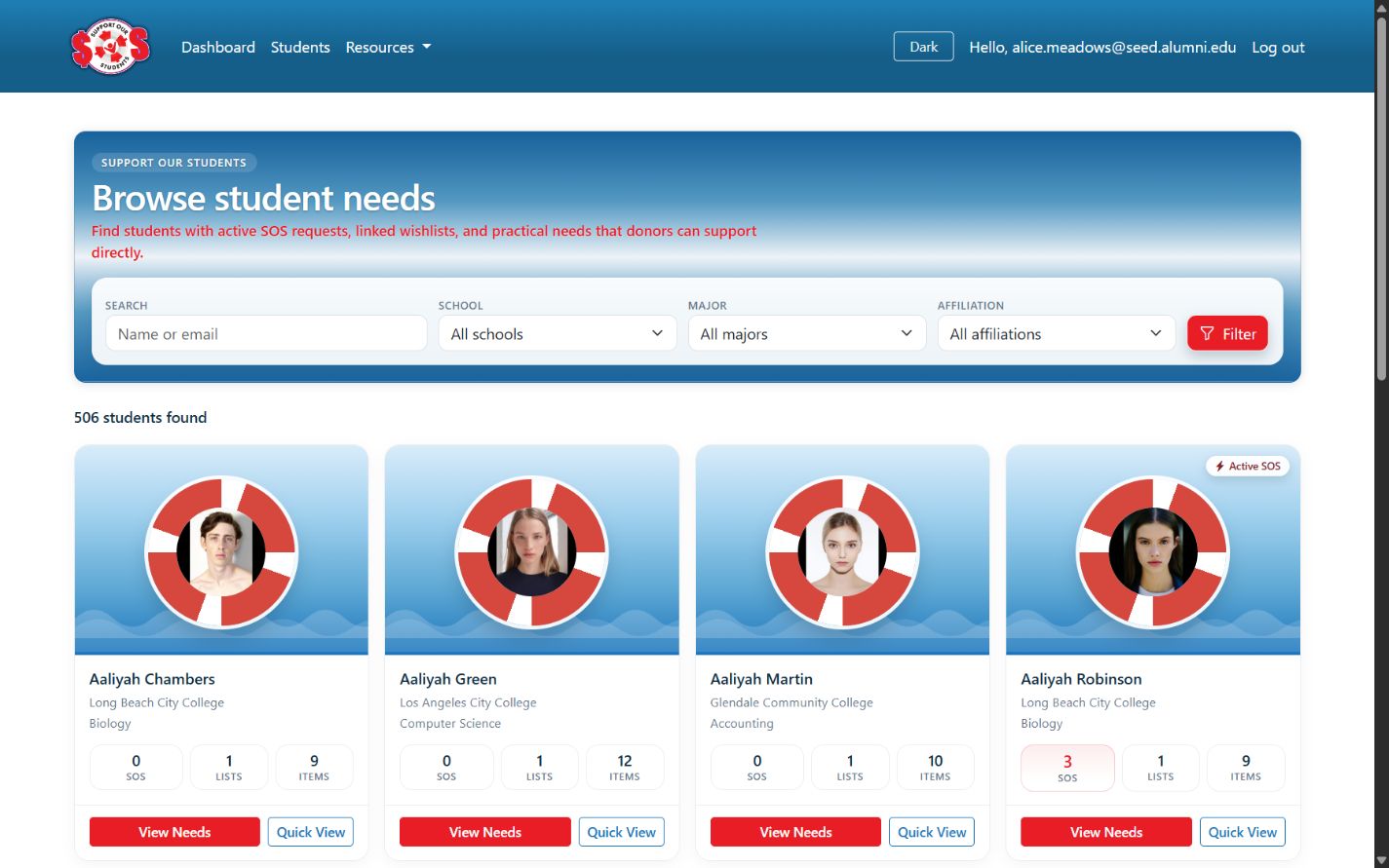
1. Discover
Donors can invite or follow students, search by available filters, and identify students with active support opportunities.
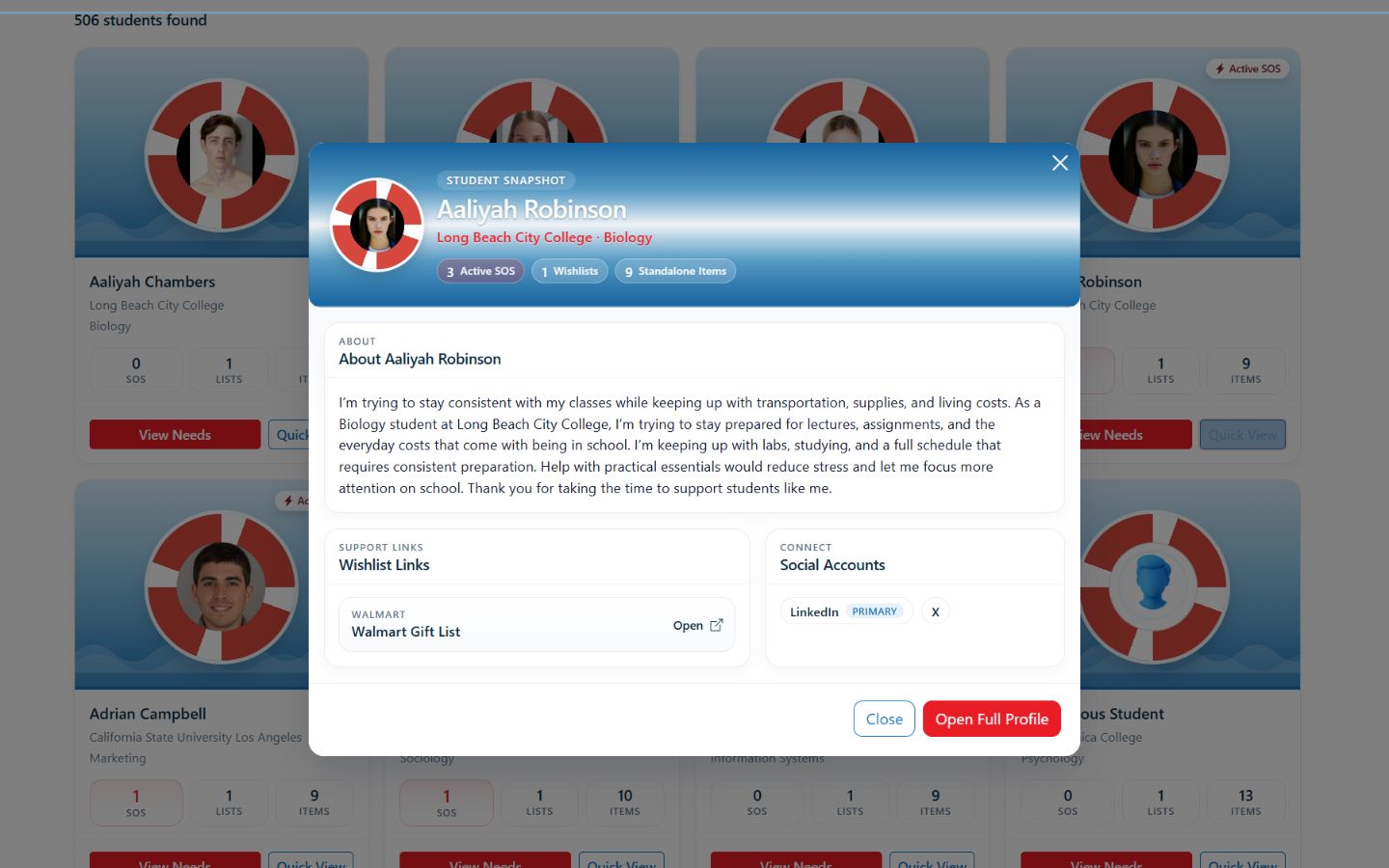
2. Understand
This is a student profile—not a donor profile. It shows the student context and support links available to a donor when the student uses an identified profile.
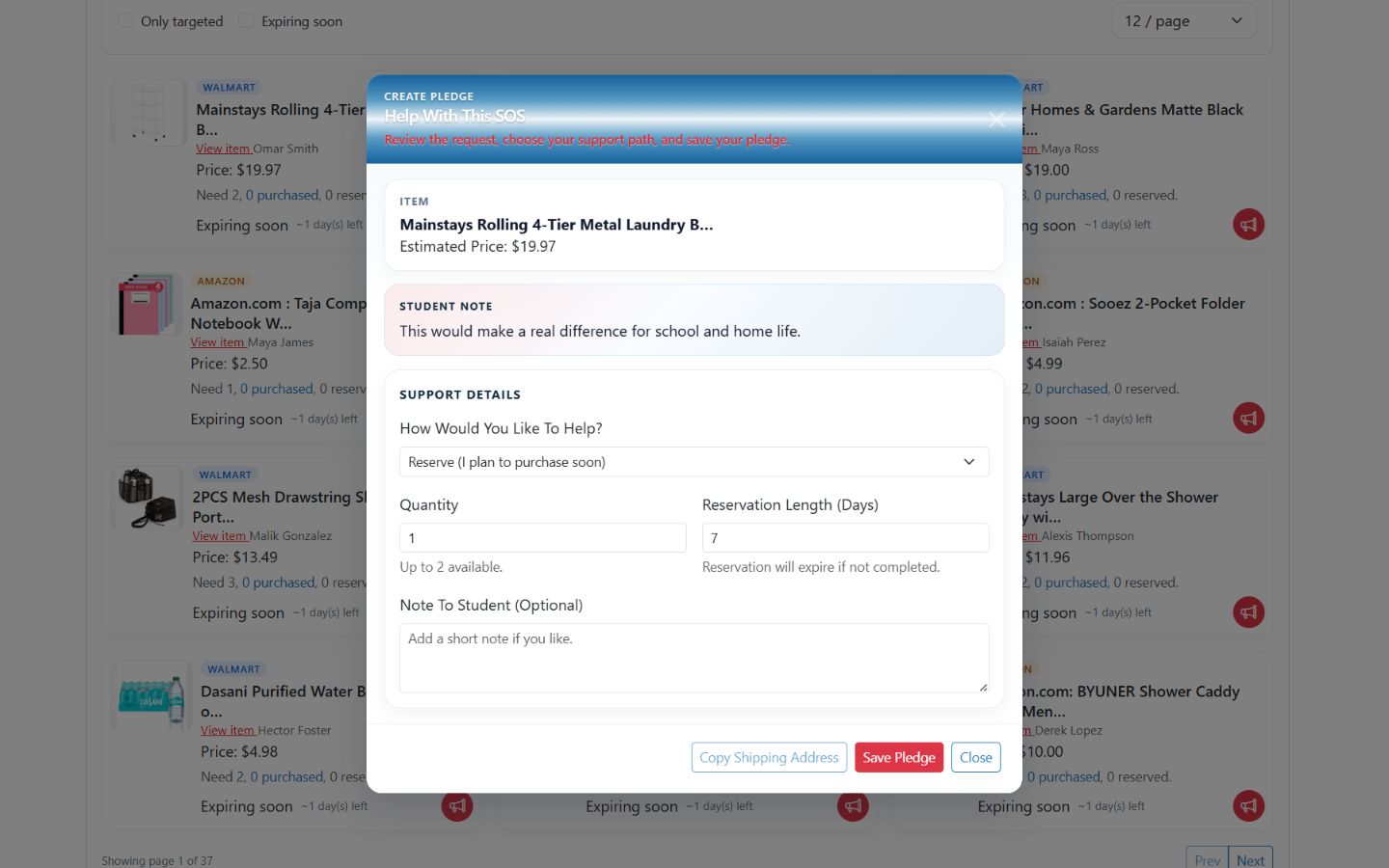
3. Pledge and Verify
Donors reserve an item, record the pledge, purchase directly from the retailer, and upload proof of purchase.
For Students
SOS gives students an organized way to communicate needs without repeatedly explaining their situation. A standard wishlist keeps ongoing needs together, while an SOS makes a time-sensitive item easier for supporters to notice and act on.
For Donors
SOS helps relatives, alumni, and community supporters respond to a specific need instead of contributing to a general fund. SOS does not collect donation money. Donors purchase requested items directly from retailers and provide proof of the transaction.
For Schools & Organizations
SOS can be deployed as a school- or organization-specific experience, such as school.sos-app.org. Each instance can give the institution its own managed support channel while connecting students, families, alumni, and community partners around practical needs.
Start a partnership conversationTrust & Privacy
Student access relies on confirmation of a school-issued .edu email address. This is an eligibility signal, not independent enrollment verification.
Students can be identified or anonymous. Anonymous profiles and SOS requests display only school and major.
A student's shipping address is not displayed publicly. It becomes available to a donor only after that donor reserves an SOS item.
Why SOS Was Built
SOS was created by an alumnus of Xavier University of Louisiana after experiencing how difficult it was to keep relatives updated about the practical things his daughter needed at college. The idea was simple: if one family needed a clearer way to coordinate support, other students and families probably did too.
A shared list serves the people already invested in a student's success. Public needs can also reach donors who recognize a student's path, remember facing a similar challenge, and want to provide practical relief.
Read the SOS storyGet Started
Create an account, explore a school partnership, or follow the work as SOS grows.